Your client's whole portfolio, on one page.
Every annuity, life policy, and managed account — with balances, contributions, and withdrawals — laid out on a single branded page that's ready before you walk into the review. No spreadsheet, no scramble.
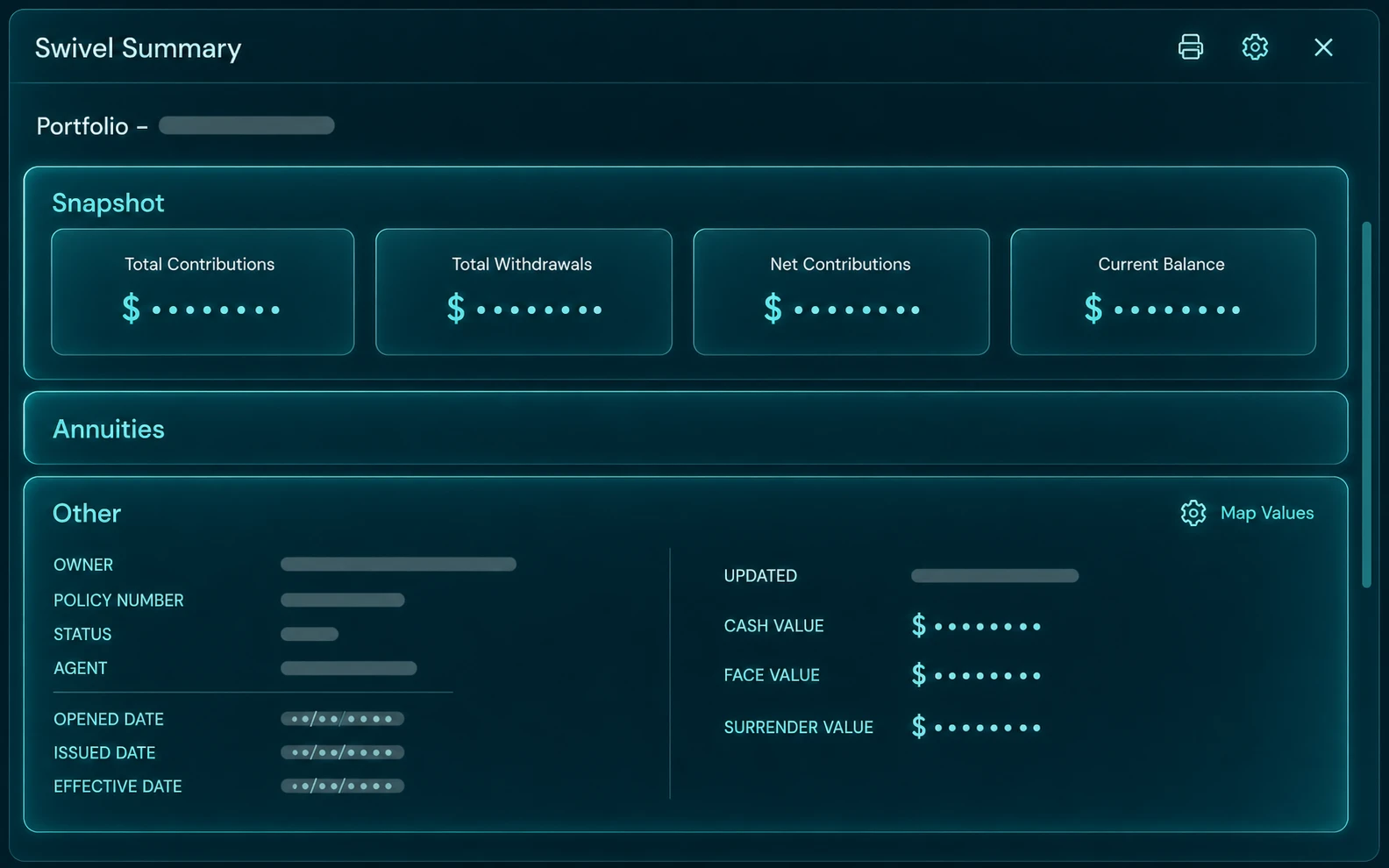
What's on it
The whole book, at a glance.
A Swivel Summary rolls up everything a client owns into a clean overview — current balance, total and net contributions, and withdrawals — then breaks it out by product line and by individual policy or account, populated automatically from Swivel Sync.
Totals that add up
Current balance, total contributions, net contributions, and withdrawals across the entire portfolio — no manual math.
Grouped your way
Per-product-line totals and configurable sections, so annuities, life, and AUM each show exactly how you want them.
Every policy, itemized
Individual cards for each policy and account — carrier, agent of record, and balances — under one summary.
Why advisors use it
Walk in prepared, every time.
Always current
Because the values come from Swivel Sync, the summary reflects today's balances — not last quarter's statement.
Client-ready
Branded, clean, and printable to PDF — something you're proud to hand across the table at a review.
In the client's hands
Surfaced in the Swivel Client Portal so clients can revisit it any time, on web or mobile.
A click from any list
Open any client's Swivel Summary in one click — including a button right on each row of your contact-list views.
FAQ
Questions, answered.
Where does the data on a Swivel Summary come from?
Most of it is pulled automatically by Swivel Sync, which retrieves current policy and account values from supported carriers and custodians. You can also enter or adjust values manually for anything that isn't synced.
Can I print or export the Swivel Summary?
Yes. Every Swivel Summary has a print view and exports to a branded PDF you can hand to the client or attach to their record.
Can clients see their own Swivel Summary?
Yes. When you give a client access to the Swivel Client Portal, their Swivel Summary is one of the things they can view from the web or their phone.
Can I open a client's Swivel Summary quickly from a list?
Yes. Every contact has a Swivel Summary button — including a one-click button on each row of your contact-list views — so any client's summary is always a click away.
See a Swivel Summary built live.
Watch a client's whole portfolio come together on one page — on a quick walkthrough built around the way you sell.