One calendar for everything on your plate.
Appointments, follow-up tasks, and seminars on a single view — two-way synced with Google and Outlook, so the schedule you keep is the schedule everyone sees.
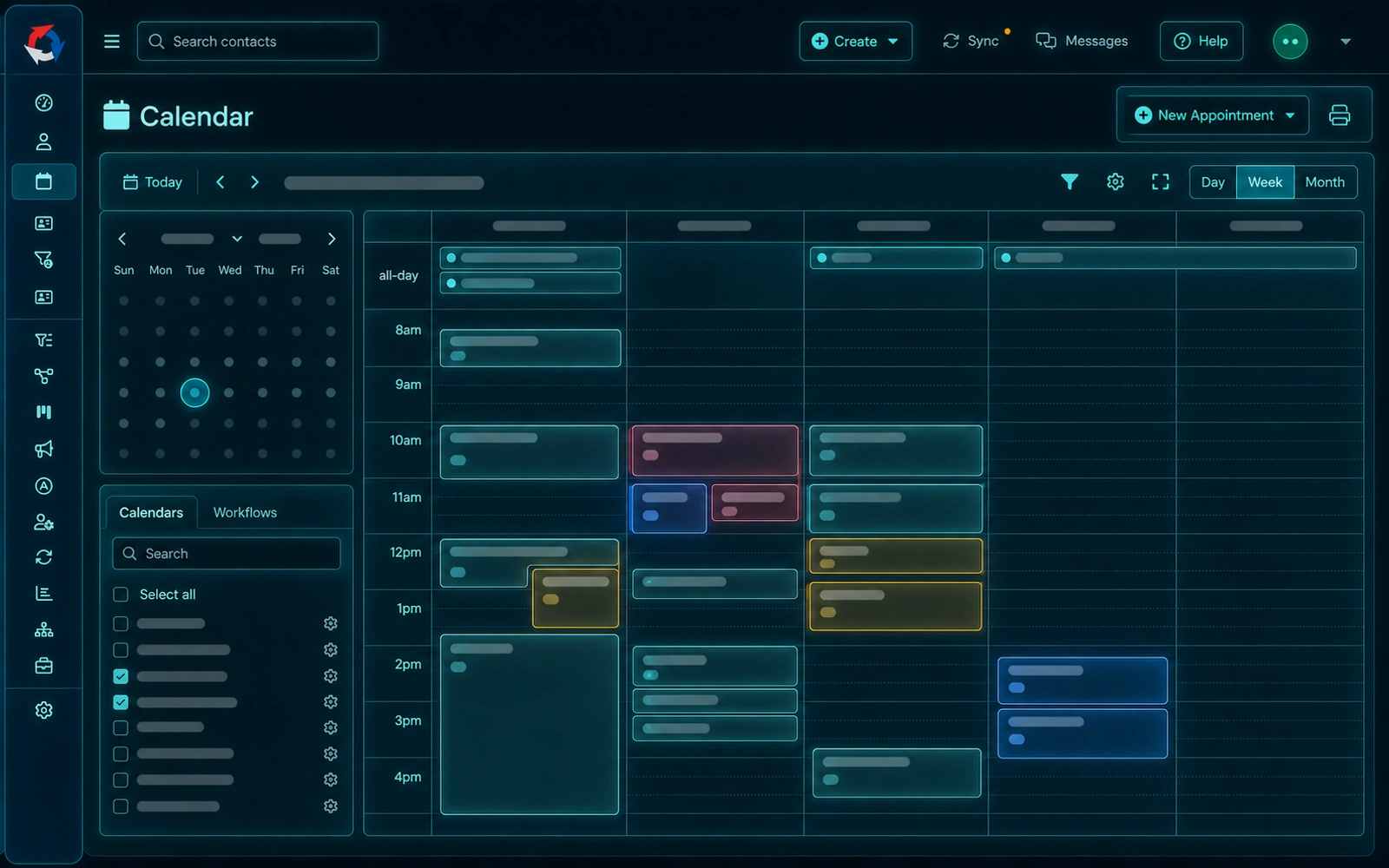
One view
Your whole day, in one place.
Stop juggling a CRM calendar, a Google calendar, and a sticky note of seminars. Swivel layers it all onto one calendar and keeps it in sync with the tools you already use.
Appointments, tasks & seminars
Client meetings, tasks with due dates, and marketing events overlay on one calendar.
Two-way Google & Outlook sync
Connect your existing calendar and email; changes flow both directions automatically.
Confirmations that stick
Send confirmation links so clients confirm attendance — fewer empty chairs at review time.
Why advisors use it
Set up the way you actually work.
Appointment types & color
Tell reviews, new-business meetings, and calls apart at a glance with types and color coding.
Views that fit your day
Adjust density, working hours, and visible days, or use a side-by-side view across calendars.
Fewer no-shows
Confirmation links keep your review calendar full and your day predictable.
Pairs with automations
Use automations to schedule reminders and follow-ups around every appointment.
FAQ
Questions, answered.
Does the Swivel calendar sync with Google and Outlook?
Yes. Swivel connects to Google Calendar and Microsoft Outlook and syncs both ways, so your appointments stay consistent everywhere.
Can clients confirm their appointments?
Yes. Swivel can send appointment confirmation links so clients confirm attendance — which helps cut down on no-shows for reviews.
Can I see tasks and seminars on the calendar too?
Yes. Appointments, tasks with due dates, and marketing events like seminars all overlay on one calendar, so your whole day is in a single view.
Can I customize the calendar view?
Yes. You can adjust density, working hours, visible days, and color coding, use a side-by-side view, set appointment types, and print your calendar.
Get your whole schedule on one page.
See the Swivel calendar on a quick walkthrough built around the way you run your week.